Getting Started on WURK: From Signup to Your First Payout
New to WURK? Here's exactly how to sign up, complete your first task, and withdraw your earnings no fluff, just the steps.
Published on August 1, 2026•1 min read
Get a wallet
You'll need a Solana wallet to receive payments. Solflare or Phantom both work fine. Download one from your app store, set it up, and save your seed phrase somewhere safe (never share it with anyone).
Sign up on WURK
Head to wurk.fun and connect your wallet. That's your login: no email, no password to remember.
Browse available jobs
Tap "Jobs" in the bottom nav. You'll see a mix of onboarding tasks, contests, social boosts, and bounties. Filter by category if you want to focus on something specific: writing, design, social tasks, whatever fits you.
Complete a task
Pick something you can actually deliver well. Read the requirements carefully; most tasks get rejected for missing a small detail, not for bad work. Submit exactly what's asked for.
Get paid
Once your task is approved, earnings show up in $WURK under your Earnings tab. You can track everything: jobs, referrals, tips, broken down by category.
Withdraw
When you're ready to cash out, head to your Vault. If you've got auto swap turned on, your $WURK converts to SOL automatically no manual swapping needed.
That's it. No résumé, no interview, just consistent small tasks turning into real payouts.
wurk.fun
Conversation
Join the conversation
Share your thoughts with the author and other readers.
Comments0
Checking your account…
Latest comments
0
No comments yet. Be the first to share your thoughts.
Getting paid in crypto feels like magic, until a bad click wipes your balance. In Web3, you are the bank. Check out our no-BS guide to burner wallets, revoking approvals, and securing your hard-earned bags.
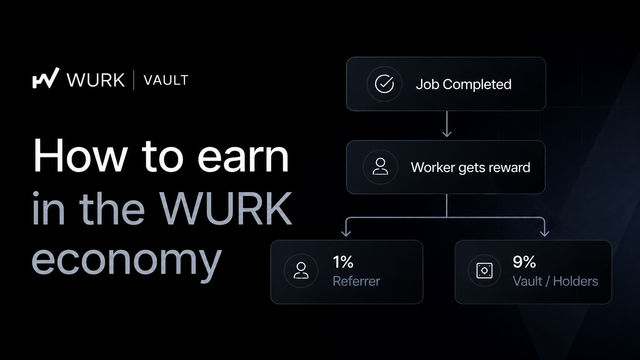
The WURK Vault rewards active holders through real platform activity, not token inflation. Every completed job contributes back into the ecosystem, creating sustainable rewards. WURK on Solana.
Summary:
This blog explores what it really means to take yourself seriously as an artist. It highlights the mindset shift from seeing art as just a hobby to recognizing it as something that can create real opportunities. It also touches on








Latest comments
0